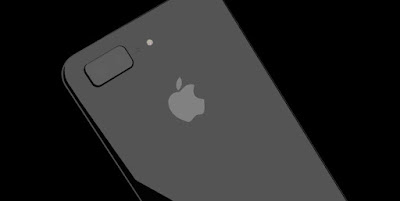
Siri can now read your WhatsApp messages out loud on iOS
Siri has gained another string to its bow with WhatsApp’s new update for iOS. Apple’s assistant can now read text messages you receive via the service out loud, making life a bit easier for people with visual impairments, or for people who just want to use their phone without looking at the screen.
Users can activate the feature in WhatsApp’s settings menu, and request that Siri read the latest message with the usual “Hey Siri” command. Replying by voice is possible, too, since WhatsApp added the option last September. The 2.17.2 update is available now, but only works on devices running versions of iOS 10.3.
The Galaxy S8 is cheaper than it should be, thanks to Samsung’s screw-up
Unless you’re Samsung, you should be happy the Galaxy Note 7 exploded
last year. Not only was Samsung able to find some serious quality
control issues and hopefully eliminate the risk of exploding batteries,
but the brand new Galaxy S8 phone, available on Friday in stores, is
probably a lot cheaper than it could have been.
Pricing starts at $720 for a phone that’s miles better than its
predecessor, and most of its competitors made so far this year, even
though the handset cost $40 more to make than the Galaxy S7.
A new research note from IHS says the Galaxy S8 costs $307.50 to make, with $5.90 of that paying for basic manufacturing.
That’s almost half of what the phone costs in stores, which makes the
Galaxy S8’s entry price even more impressive when you also factor in
the freebies Samsung and its carrier partners are throwing in at launch.
IHS says the Galaxy S8 costs $43.34 more to make than the Galaxy S7
and $36.29 more than the Galaxy S7 edge. Yet Samsung did not pass these
costs to buyers. Samsung will probably never explain how it came up with
the final price points for its phones, but the Galaxy Note 7 must have
been a major factor.
The Galaxy S8 is selling a lot better than anticipated, with some
analysts already revising their estimates for the handset. It’s likely
that even a more expensive Galaxy S8 would have been just as popular
with buyers — again, considering the various freebies and special launch
deals. But given the Galaxy Note 7’s sad fate, Samsung probably wanted
to keep the Galaxy S8’s price as close to the Galaxy S7 and the iPhone 7
as possible.
In fact, the Galaxy S8 may end up being a lot more affordable than
the iPhone 8 this year, and it may all be a side-effect of those
exploding batteries inside the Galaxy Note 7.
IHS estimates the iPhone 8 and Galaxy S8 will have similar hardware.
But Apple’s next best iPhone may cost as much as $1,000 when it
launches, according to analysts.
“The higher total BOM costs for the Galaxy S8 seem to be part of a trend
that reflects something of an arms race in features among Apple,
Samsung and other phone manufacturers, as they all try to add new and
distinguishing hardware features,” IHS’s senior director of cost
benchmarking services Andrew Rassweller said.
“While there are new
non-hardware features in the Galaxy S8, such as a virtual assistant
called Bixby, from a teardown perspective the hardware in the Galaxy S8
and that of the forthcoming new iPhone is expected to be very similar.”
The screen is obviously one of the most important components in any
smartphone since it’s still the primary means of displaying content and
interacting with content. And in the case of the Galaxy S8 and Galaxy
S8+, the display is the star of the show in so many ways. Beginning with the phone’s design, Samsung has managed to increase
the screen-to-body ratio on its new phones to an impressive 83%. That
compares with a screen-to-body ratio of just 66% on the iPhone 7 and
iPhone 7 Plus. Are these ratios really that important? You won’t be able
to fully appreciate it until you experience it for yourself, but the
answer is yes. Apart from looking much better, the user experience on the Galaxy S8
is so much more immersive than it is on the iPhone 7. It feels like
you’re holding content in your hand, not a phone. Apple’s upcoming new
iPhone 8 is expected to adopt a similar design that is nearly all screen
but until then, the Galaxy S8 has the upper hand in a big way.
Curved Edges
Samsung’s first curved smartphones was a total gimmick that should not have existed.
The Note Edge was the company’s first smartphone with a curved screen
(on one side only), and it was also a gimmick that was next to useless.
The curves on the Galaxy S8 and Galaxy S8+ are far from useless,
however. They’re awesome. In terms of software features, the only benefit afforded by the
curved screen on the S8 is an option that makes the exposed edges light
up with incoming calls when the phone is face-down on a table or desk.
Yeah, it’s not exactly Earth-shattering. The real benefit of the curved
sides on the front and back of the phone is usability. The Galaxy S8+ is about the same width as the iPhone 7 Plus, and it’s
actually a bit thicker than the 7 Plus at its center. But with one
hand, I can comfortably reach from one side of the S8+’s display to the
other. And Samsung’s rounded sides on the front and back don’t just
extend the user’s reach, hey help the S8 and S8+ sit comfortably in the
hand. It’s an awesome design.
Display Quality
This won’t come as much of a surprise to anyone who has ever used a
Samsung flagship phone before, but the Galaxy S8’s screen advantage
extends well beyond design. In terms of display quality, the Galaxy S8
and S8+ have no equal. Samsung’s Super AMOLED screens on the Galaxy S8 and Galaxy S8+ are
simply stunning. They both have the same QHD+ resolution so the 5.8-inch
screen on the smaller Galaxy S8 model actually has better pixel density
than the larger 6.2-inch display on the Galaxy S8+. The difference is
pretty big on paper — 570 ppi vs. 529 ppi — but I doubt even someone
with 20/20 vision would be able to notice any difference at a normal
viewing distance. In terms of comparing these screens to the displays on the iPhone 7
and iPhone 7 Plus, it couldn’t be easier: Samsung’s screens are better
in every way. Blacks are deeper, colors are more vivid, the resolution
is better, the contrast is better, and the clarity is better. Samsung
has absolutely hit yet another home run with its Galaxy S8 and S8+
screens.
Charging
Charging certainly isn’t the first thing that comes to mind when you
weigh the pros and cons of a smartphone. But if you stop for a moment
and really think about it, this is a hugely important part of the user
experience. We charge our phones each and every day, so the speed a
phone can charge and the convenience with which it can be charged are
actually a very big deal. The Galaxy S8 supports multiple fast charging standards. The iPhone 7
does not. The Galaxy S8 supports wireless charging, and even fast
wireless charging. The iPhone 7 does not. Long story short, Samsung’s
Galaxy S8 and Galaxy S8+ charge much faster than their iPhone
counterparts, and they also have bigger batteries.
Google Assistant
Siri has come a long way since it was first introduced, and there’s
no question that Apple’s virtual personal assistant is solely
responsible for the recent explosion in similar solutions from rival
companies like Amazon, Google, Microsoft, and Samsung. As an iPhone
user, however, I really enjoyed the personal assistant on Samsung’s
Galaxy S8+ while I was reviewing it. No, not Bixby. Sure, Samsung’s own personal assistant solution shows
promise, but its inability to support English-language voice commands at
launch makes it a non-starter for the time being. I’m talking about
Google Assistant, the latest evolution of Google’s assistant software. These AI driven assistants are always evolving, but Google’s young
Assistant solution has already surpassed Siri in many ways. I often find
that Siri gets confused, has trouble with context, or just flat-out
gets things wrong when I ask it a question or speak a command. Google
Assistant, on the other hand, is far more consistent and accurate. This
is a big check in the Galaxy S8’s box for me.
Snapchat User Data Allegedly Leaked by Indian Hackers in Response to 'Poor Country' Remark
It seems there's no end to Snapchat's nightmare as anonymous Indian
hackers have now reportedly claimed to have released 1.7 million
Snapchat users' data on the deep Web. The move is said to be a
repercussion of CEO Evan Spiegel's alleged India-related remarks.
The Independent reported
the Snapchat user data claims by anonymous Indian hackers, but there no
publicly visible claims made by any Indian hacking group so far taking
responsibility. Snapchat has since denied the user data leak was done, the report adds.
After massive outrage, Snapchat has been denying that Spiegel said
anything about India. According to a Variety report, CEO Evan Spiegel
said the app was "only for rich people"
and not for "poor countries like India and Spain". The Snapchat app has
since received massive outrage on Twitter as hashtag
"UninstallSnapchat" and "BoycottSnapchat" have been trending.
Variety report had cited a former Snapchat employee who claimed that CEO Evan Spiegel had no interest in expansion in different markets,
and allegedly said that the "app [Snapchat] is only for rich people,"
adding that he didn't want to "expand into poor countries like India and
Spain."
The remark claims has put a dent on Snapchat's App Store ratings which dropped to a single star.
Notably, the single star rating for Snapchat's present version on the
App Store was based on 6,099 ratings, while the rating for all versions
of the app was 1.5 stars, based on 9,527 ratings. On Android, the rating
for Snapchat on the Google Play was 4 star, based on 11,932,996
ratings.
If the leak claims are true, this won't be the first time
that the popular mobile photo-sharing service data has been
compromised. In 2014, details of 4.6 million users were leaked on the Internet.
The Galaxy S8’s battery might not catch fire even if something bad happens to it
The Galaxy S8 is out in a few days, and the phone has been selling like crazy, which means that Samsung fans have already forgotten all about the nasty Galaxy Note 7 explosions that effectively killed the most attractive Android handset of the second half of 2016. Samsung discontinued the phone and vowed to never let something like that happen again. The company introduced a new battery quality assurance procedure for its phones, to avoid experiencing future explosions, especially with the Galaxy S8. That doesn’t mean bad things can’t still happen to the Galaxy S8’s battery. Smartphone batteries do fail, regardless of who makes them. But as long as instances, where a battery would malfunction and explode, are rare, users should have nothing to fear.
Will the Galaxy S8 blow up? A first test seems to indicate that Samsung has taken additional precautions with its batteries that might prevent fires even if the phone “explodes.”
A few days ago, YouTube channel <ahref=”“>TechRexperformed a first drop test for the Galaxy S8, which revealed the phone isn’t drop-proof — big surprise there, for a device made of glass. The functional handset was then sent to YouTube channelWhat’s Inside?which partnered up withJerryRigEverythingto destroy the Galaxy S8.
The 9-minute video at the end of this post shows us a crude teardown of the phone, but what’s interesting is what happens when an electric saw punches through the battery.
The battery immediately swells up, driving everyone into a frenzy to take the phone outside before it catches fire. However, what happens next is unbelievable. The battery swells up, drips liquid, and gets pretty hot. There’s smoke and smell that suggest something’s wrong. But there’s no spark and no fire. Subsequent prodding with a metal object doesn’t initiate a fire either.
This is hardly a scientific test. After all, these guys used an electric saw on a functional device indoors, with virtually no protection. However, this unofficial test seems to indicate that the Galaxy S8’s battery will not explode. It might swell up for whatever reason, but a fire might be avoided.
There’s also one other interesting tidbit from the video. Apparently, the battery isn’t animal-friendly, so don’t let your dog chew on it.
Swift University Teaches You How to Build Android Apps in Apple's Programming Language
Apple had open sourced its own programming language called Swift in December, 2015. Since then, Apple has been making efforts to make Swift more popular amongst programmers to develop apps for Android. Now, Apple's efforts finally look like coming to fruition as an Italy-based university has started a first-of-its-kind course to build Android apps using Swift programming language. However, it's not meant for beginners but the programmers who already know Swift, Java, C#, Objective-C and other programming languages.
The Italian university, known as Swift University, is offering the intermediate level course for Android app development written specifically in Apple's Swift language. "By attending this course you will learn to program App for Android devices via the Android SDK but classic written in Swift language. Thanks to this innovative course can easily be ported your iOS projects on Android and / or develop multi-platform app without using a middleware," reads the course description on university's website.
This course will help coders develop Android apps using Swift, while presumably reducing the need of a cross-platform middleware like Xamarin, which comes with limitations. It is built using Integrated Development Environment (IDE) instead of a converter that will let the coders use Swift instead of Java while using the normal classes of Android SDK.
As we mentioned, the course is open to the developers who have some knowledge of any of the programming languages to object - Swift, Java, C#, and Objective-C. The course, as seen on the website, lasts about 3 days 8 hours for a total of 24 hours of lessons, samples, projects, and private group post-course support. It is being offered at a price of EUR 599 (roughly Rs. 41,000) in Milan, Italy.
WhatsApp Update: You Might be Able to 'Unsend' Chats Soon
Facebook-owned WhatsApp is reportedly testing a new feature which will allow users to “unsend” messages that they have sent to any of their contacts within a maximum time frame of five minutes. While there is no official confirmation, reports suggests that the new WhatsApp “message unsend” feature is being tested in a new beta version of WhatsApp Web.
In the beta version, WhatsApp has also made it easy for people to format text by providing options like Bold, Italic and Strikethrough. With this, you will no longer need to put asterisks, underscore or tildes to format chats. This update is expected to open to all very soon.
Recently, WhatsApp has announced a new update for its Android app which allow users to share multiple contacts in one go while chatting. Earlier, WhatsApp had allowed sharing of only one contact while chatting and users had to attach and send contacts on separate chats. With the new update, users can share as many contacts they want to share at once.
Also, WhatsApp is reportedly foraying into digital payment services in India. It is working to launch person-to-person payments in India in the next six months. The WhatsApp payment service will be supported by BHIM platform.
It Costs 300$ to Make your own iPhone if you're willing to build it yourself
Putting an iPhone together from spare parts sounds like a daunting project. And according to Scotty Allen, a former software engineer who did just that, the hard part is finding the parts, not putting them together. As Allen notes in a blog post describing the project, the phone is likely built out of recycled parts from older devices that have been disassembled in Shenzhen. The video documents Allen’s traversal of back alleys to find phone shells, finding a shop to put together a screen assembly from the dispute components, and his efforts to source a working logic board. Allen dives deeper into the process on his site, which is well worth a read if you’re interested in finding out more on how the phone came together.
“I wanted to see if it was actually possible,” Allen says, “and I wanted to better understand how the markets work and what happens in them.” Building the iPhone served as a way do that. Allen says that the entire build was inspired when he was hanging out with some hardware geeks in Shenzen when someone wondered if it would even be possible to put together a phone from the markets. But what might be most impressive is how simple the build was in the end. While Allen went into the project knowing very little about the scope “I was pretty lost at first - I didn't really know what parts I needed, or where to get them, or what order I should buy them in so I could test things as I went,” — once he manages to find the parts, the final build looks almost effortless. In total, Allen estimates that he spent around $1,000 on the project, although a lot of that went into duplicate parts and extra tools. He pegs the finished phone itself at around $300, which is certainly a good price for an iPhone 6s — assuming you’re willing to put it together yourself, that is.
iPhone 8 may move fingerprint reader to the back, similar to Galaxy S8
Alleged iPhone 8
schematics surfaced online today, opening up the possibility that
Apple's next phone could feature dual cameras stacked vertically and a
fingerprint sensor on the back. If true, these would mark a notable
change from the iPhone's usual appearance.
Apple is rumored to be
planning to celebrate the 10th anniversary of the device by releasing a
drastically redesigned iPhone. Before its launch date, one circulated
rumor is that Apple wants to ditch the home button and create a near
bezel-less phone, similar to the Galaxy S8, LG G6 and Xiaomi Mi Mix. In order to do this, the company has to figure out what to do with the fingerprint scanner, which currently lives in the home button on the front of the handset.
A fingerprint sensor located on the back isn't unique. A handful of LG
phones already have this, and Samsung recently did the same with its
Galaxy S8 (unlike the purported Apple schematic however, the S8's reader
is directly to the right of its camera lens). It may be possible that
Apple is simply considering different sensor locations though, which
does not guarantee that we'll see this one in particular in the final
version. Especially since the company is testing over 10 prototypes for the iPhone 8.
In February, Apple was granted a patent
to put fingerprint sensors directly into its touchscreens, which may be
a better location compared to the back of the phone. Before its
release, the Galaxy S8 was also rumored to get an under-the-display fingerprint sensor, but that didn't end up happening.
Apple is reportedly having a hard time
incorporating its Touch ID into the iPhone 8's displays, which is
allegedly bottlenecking production. Analysts believe Apple could respond
to this in three ways:
Apple could remove fingerprint scanning and rely on facial recognition or iris scanning.
It still announces the iPhone 8 in September, but delays its availability.
It pulls a Galaxy S8 and moves the fingerprint sensor to the back altogether.
The supposed iPhone schematic
could just be Apple trying to cover all its bases, and Touch ID may
still get put into the display. Regardless, it's best to approach this
rumor with caution. Apple did not immediately respond to a request for comment.
Just a few days ago, Facebook completed its Snapchat cloning process by adding a new feature to its mobile app that lets users share ephemeral messages, including videos and images. If that’s not enough for your private sharing and chatting needs, you should know that Instagram followed Facebook’s lead — it is, after all, a Facebook-owned company — and has now also launched its own Snapchat-like feature.
Called Direct, the new Instagram feature will let you “turn any conversation into a visual conversation with photos and videos.”
“Texts and reshares will now appear in the same thread with disappearing photos and videos so you can seamlessly go back and forth with your friends,” Instagram explained in a blog post.
To get the Direct feature, you’ll need to update your iPhone or Android Instagram app to the latest version — that’s version 10.16 if you’re wondering. Once that’s done, just swipe left to enter Direct mode. To take a disappearing photo or video, tap the blue camera at the bottom, or tap the blue camera icon in an existing thread.
Once you record your video or snap your picture, you can send it to your friends using the arrow to start a new chat. Congrats, you’ve just Snapchatted inside Instagram.
Instagram explains that you’ll be able to tell disappearing messages apart from regular ones by their color. Blue messages will not be saved. You can view them twice before they vanish, and the sender will get a notification if you replay or screenshot the message.
As for regular texts, uploads and reshares, they work just as they did before the update. Here’s a handy video that explains Instagram’s new Snapchat feature:
Huawei Enjoy 7 Plus gets official with big screen, big battery
Over the past few months, Huawei has released plethora of devices, catering different markets and price ranges.
Huawei has released another budget-friendly smartphone, the Huawei Enjoy 7, featuring a decent set of specifications at a budget-friendly price tag.
The handset comes with a bigger 5.5-inch display featuring a resolution of 1280 by 720 pixels with the processing handled by a Snapdragon 436 processor. There’s 3GB of RAM, 32GB of expandable storage, a massive 4,000 mAh battery and ships with Android 7.0 Nougat as its operating system out of the box. The handset also has a 12Mp camera on the back for photos and videos, as well as an 8MP front-facing camera.
As for the pricing and availability, the handset will initially launch in China carrying a CNY 1,600 price tag. There’s no word from the company if the handset will make an appearance in any other global market, and there’s a possibility that it will not make it to other countries. We’ll update you if we get any other information
Samsung claims Galaxy S8, S8 Plus are off to a great start
Samsung is boasting that the Galaxy S8 and S8 Plus are in pretty high demand.
The phones, which Samsung is betting on to wash away the stench of the Galaxy Note 7's overheating controversy, have already surpassed the Galaxy S7 and S7 Edge's preorder numbers from February 2016. The company said the S8 and S8 Plus are showing "double digit growth" compared with last year's preorders, but declined to share specific numbers.
The Galaxy S8 and S8 Plus will be Samsung's pilot device for its new voice assistant Bixby, as well as the leap from a flat screen to two curved edges. To up the ante, Samsung offered incentives for early buyers by including a free Gear VR (2017), controller and Oculus game pack for pre-orders.
Pre-orders were available starting on March 30, and will be available in stores on April 21. The Galaxy S8 will cost $750 (£689) and the S8+ will cost $850 (£779).
So far, the most popular pre-order has been for the Galaxy S8 Plus in midnight black, according to Samsung.
Anchor adds interviews to create a powerful mobile recording studio
Even in an era where people complain that everyone has a podcast, there are still plenty of curious people out there who’d like to give it a shot but don’t know where to start. (I am primarily talking about myself here, but maybe also you!) It’s one thing to have an idea for a show; it’s another to piece together the necessary software, hardware, and hosting services needed to make your dream a reality.
Today Anchor, an iOS app that aims to “democratize audio,” is releasing a new interview tool that makes broadcasting significantly easier. You can now use the app to record and publish a phone conversation, turning any call into a potential interview for broadcast. And thanks to a partnership with Watson, IBM’s machine learning software, Anchor will automatically generate a transcript of your call and email it to you.
“We want to make it really easy to make great audio, and so we’re making more and more creative tools,” said Mike Mignano, the company’s CEO. C
all recording and transcripts come to the app a month after it unveiled a redesigned core interface that works as a kind of Snapchat for audio: a place to put a rolling collection of sounds that expire 24 hours after they’re posted.
I interviewed Mignano using Anchor yesterday. About six minutes after our 10-minute interview, the transcript arrived in my email. It was in rough shape: Watson can’t yet differentiate between speakers, so you’re left to parse a massive block of text. (Anchor says this will change soon.) In my experience, the transcription was about as good as the software that transcribes your voicemails on Google Voice or iOS: good enough for a rough guide, but way too rough to quote from without listening to the audio again yourself.
For Anchor to succeed, it has to go far beyond making podcasting easier — it has to make listening to amateur audio fun in a way that it usually just isn’t. Bad audio sounds just sound like voicemail — and most audio is bad audio.
But one way to make audio better is to give creators a rich variety of tools to improve their recordings. Anchor already has a bunch of those tools, including the ability to insert full-length tracks from Spotify and Apple Music. (Non-subscribers only hear previews, but still.) Phone interviews that you can easily broadcast, while receiving a free transcription of the call, represent a nice step forward.
Anchor is like Snapchat stories for audio, and it’s delightful
A year ago, a pair of New York entrepreneurs released Anchor, an app for recording short-form audio snippets that they hoped would “democratize radio.” “As popular as this medium is we feel it’s really hard for regular people to contribute to it,” co-founder Nir Zicherman told Tech Crunch. The initial version of Anchor let you record “waves” of up to two minutes, and anyone could add on with a minute of their own. I appreciated the democratic impulse, but the results sounded less like radio and more like extremely long voice mails. I recorded a couple of posts on Anchor but never found a reason to return; the app struggled to gain traction.
But today Anchor is back with a new version, and it’s much more compelling than what came before. Anchor 2.0 is a kind of Snapchat Stories for audio, with users encouraged to create digital radio stations where content disappears after 24 hours. But the tools for audio creation are much improved, with features for easily adding full songs, professionally recorded transitions, and “call in” responses from listeners. The result is a service that ditches the voicemail vibe of the original in favor of something much more entertaining.
“While Anchor 1.0 proved to us that non-professionals would be willing (and excited) to record their voice, it also showed us that the quality bar for user-generated audio needed to be much higher than content on visual mediums,” co-founder Michael Mignano told me in an email. “One of the ways we tried to ensure that audio in 2.0 would be interesting and fun to listen to was by providing lots of creative tools for our users. We’ve also found that the stories format helps create a consistent tone for each station, and encourages people to choose a topic instead of just saying whatever’s on their mind.” More creative tools are coming, he added.
Anchor opens to the home tab, where you’ll find updates from all the people and stations you subscribe to. (Anchor has signed up a number of professional publishers to create radio for it, including IGN, Gizmodo, and TheOutline.) Tap on a station and it will begin playing with the most recent segment you haven’t heard. Tap the skip button to move on to the next one if your bored, or the applause icon to express your approval. (As on Periscope, Facebook Live, and Medium Stories, you can send an unlimited number of likes on Anchor.)
Once the station runs out of segments, the next one will autoplay. Anchor also has categories for you to browse and discover new stations: news, tech, life, music, “funny,” and so on. “The Rundown” is a personalized station that offers you the day’s news, plus weather from Dark Sky.
But the app’s best touches are in the creation tool, which you’ll find by tapping the big red plus button at the bottom of the screen. You can record by tapping the button and dragging up, or by holding the phone to your ear, as if you were making a call. Swipe left and you’ll find several tools to spice up your recording. “Clips” lets you insert audio from newsmakers, broadcasters, and other Anchor users into your own station, giving you new voices and events to react to. Music lets you insert full songs into your station, though your listeners will need to be subscribers to Spotify or Apple Music to hear them. (Non-subscribers will hear a short clip.)
Interludes let you punctuate your broadcasts with the kind of professionally produced bumpers you hear on the radio, and “call ins” let your audience record audio responses and submit them to you directly. If a caller makes a worthwhile point, you can tap a button to add it to your station.
On one hand, we’re living in a glut of audio. Thanks to services like Spotify and an ever-increasing number of podcasts, few of us feel like we’re short of things to listen to. And yet Anchor appeals to me for some of the same reasons Twitter and Periscope did: it offers the promise of timely, compelling broadcasts from smart, funny people who have an authenticity that more professionally produced content sometimes lacks.
The odds against any social app gaining traction are long, and audio clips don’t go viral the way text, photos, and videos so often do. But Anchor has some bold ideas and a handful of genuinely delightful touches. (You can knock on the back of your iPhone to send applause.) And South by Southwest, which helped bring us Twitter, Foursquare, and Meerkat, starts in three days. If a social app were going to break out this year, this could be the time.
This iPhone 8 would be so much hotter than the Galaxy S8
For the first time ever, Samsung will become the undisputed
heavyweight champion of the world in about two weeks when it comes to
smartphone design. Apple has always had the edge in the past thanks to
the thin plastic Samsung used on its phones for the first few years
after entering the market, and then the gap narrowed in 2015 when the
company finally switched to glass and metal. Now, in 2017, Samsung has
stolen the crown with the Galaxy S8 and Galaxy S8+, which feature a
design that puts Apple’s three-year-old iPhone design to shame.
Thankfully, Apple has no plans to use the same design a fourth time
when comes to the iPhone 8, and now a new video imagines a
next-generation flagship iPhone that manages to outshine Samsung’s new
smartphones.
Expectations for the upcoming new iPhone 8 — or iPhone Edition, or
iPhone Pro, or whatever Apple ends up calling it — couldn’t be higher.
Apple’s tenth-anniversary iPhone is expected to feature a bold new
design with an OLED display that takes up most of the front of the
phone. The home button will reportedly be removed and replaced with a
virtual home button like the one on the Galaxy S8 (but so much better, obviously) and the bezels around the screen are expected to be much narrower than before.
Now, a new iPhone 8 concept created for the ConceptsiPhone YouTube
account by a graphic designer called “incriptor” images what Apple’s
upcoming new redesigned iPhone might look like. The result, though not
grounded in reality, is stunning.
Some aspects of this iPhone 8 render are probably reasonably close to
reality. The general look of the phone is likely close to what Apple is
going for, and Apple executive Jony Ive has said on record that his
dream is an iPhone that looks like one continuous piece of glass. Where
this concept takes a sharp turn away from reality, however, is in its
use of displays on the edges and back of the phone.
The idea of a small, invisible screen on the back of an iPhone that
displays notifications is actually pretty awesome. It’s also not even a
remote possibility on the iPhone 8. But hey, it never hurts to dream, so
check out the video below.
Apple’s iPhone 7 and iPhone 7 Plus quickly became the
fastest-selling smartphones of all time following their launch this past
September. The new Apple flagships were the company’s most powerful
smartphones ever, and they included a number of firsts. Apple introduced
multiple new colors to its iPhone lineup for the first time, and it
doubled the available storage in each of its iPhone tiers for the first
time. But there was also a first that Apple fans weren’t so happy about:
the iPhone 7 and iPhone 7 Plus marked the first time Apple reused the
same iPhone design for the third consecutive year.
The iPhone has always felt like it was ahead of the curve,
but that changed in 2017 as the LG G6 and Samsung Galaxy S8 were
introduced. These sleek new smartphones feature next-generation designs
that leave Apple’s iPhone design from 2014 in the dust. Of course, the
differences extend beyond design, and in this post we’ll cover five
features in particular from the LG G6 and Galaxy S8 that will make
iPhone users jealous.
Bye bye bezels
Companies like Samsung completely reinvented their
smartphone business by doing everything they could to copy Apple’s
iPhone designs, and it worked for Samsung in particular even better than
the company could have imagined. In 2017, however, the iPhone is
starting to feel quite dated. The new LG G6 and Samsung’s upcoming Galaxy S8 and Galaxy
S8+ feature displays that do away with any lingering home buttons and
logos. The new phones also rework internal components in order to make
the bezels surrounding the screens as narrow as possible with today’s
technical limitations. The result is a user experience that’s more
immersive than ever before.
Fat guy in a little coat
Speaking of those narrow bezels, the LG G6 and Galaxy S8
also manage to stuff very large screens into remarkably compact designs.
Chris Farley would’ve loved these phones.
With screen-to-body ratios that exceed 80% for the LG G6 and
Galaxy S8 duo alike, there have never been widely available phones that
pack larger displays into phones this size. In fact, the G6 and the
smaller Galaxy S8 both include displays that are bigger than the one in
the iPhone 7 Plus phablet, yet the phones themselves are closer in size
to the smaller iPhone 7.
One less wire to worry about
Plugging a Lightning cable into the bottom of an iPhone
isn’t exactly a taxing chore, so I’ve been surprised to see how excited
iPhone users have been to see rumors that the upcoming iPhone 8, iPhone
7s Plus and iPhone 7s will include wireless charging. It is a pretty
handy technology, especially now that there are fast wireless charging
standards. You know which three phones already include support for fast
wireless charging? That’s right, the LG G6, Galaxy S8 and Galaxy S8+.
An assistant that really assists
Siri has gotten so much better in recent years, but users
still complain constantly about all of Siri’s shortcomings. Meanwhile,
on smartphones running Android 7.0 Nougat and later, users absolutely
adore Google Assistant for the most part. Google Assistant might be terrible on the Google Home, but on a phone like the LG G6 or Galaxy S8 it’s pretty terrific.
So many selfies
Last but certainly not least, we have a complaint that
iPhone users have had since practically the dawn of time. And the bad
news that there is a 0% chance Apple will ever address it, because doing
so would mean destroying Apple’s iPhone ASPs. When it comes to Apple’s latest iPhones, you can buy a 32GB
model, a 128GB model or a 256GB model. Want more storage? You’ll need an
external device like Lightning to microSD card adapter or a Lightning flash drive. Want more storage in your LG G6, Galaxy S8 or Galaxy S8+? Pop in a microSD card.
Apple's new app Clips that lets users create expressive videos on
iPhones and iPads is now available for free on the App Store, the
company said.
The new app was announced in March this year and was
anticipated to come out in April. The app lets users produce quick
videos to share with friends or family on social media. According
to a company press release on Thursday, Clips' single-screen interface
allows users make multi-clip videos in minutes without video editing
timelines and tracks.
Users can add live animated captions and titles just by using their voice with a feature called Live Titles.
"Captions
are generated instantaneously as a user speaks, and appear on screen
perfectly synced with the user's voice," the company said.
After
users are done with the creation of a video, Clips allows them to share
the output directly to Instagram, Facebook, YouTube, etc. It also
recommends them to share the videos with people who are mentioned in the
voiceover.
YouTube will no longer allow creators to make money until they reach 10,000 views.
Five years ago, YouTube opened their partner program to
everyone. This was a really big deal: it meant anyone could sign up for
the service, start uploading videos, and immediately begin making money.
This model helped YouTube grow into the web’s biggest video platform,
but it has also led to some problems. People were creating accounts that
uploaded content owned by other people, sometimes big record labels or
movie studios, sometimes other popular YouTube creators.
In an effort to combat these bad actors, YouTube has announced a change
to its partner program today. From now on, creators won’t be able to
turn on monetization until they hit 10,000 lifetime views on their
channel. YouTube believes that this threshold will give them a chance to
gather enough information on a channel to know if it’s legit. And it
won’t be so high as to discourage new independent creators from signing
up for the service.
“In a few weeks, we’ll also be adding a review process for new creators who apply to be in the YouTube Partner Program. After a creator hits 10k lifetime views
on their channel, we’ll review their activity against our policies,”
wrote Ariel Bardin, YouTube’s VP of product management, in a blog post
published today. “If everything looks good, we’ll bring this channel
into YPP and begin serving ads against their content. Together these new
thresholds will help ensure revenue only flows to creators who are
playing by the rules.”
Of course, along with protecting the creators on its
service whose videos are being re-uploaded by scam artists, these new
rules may help YouTube keep offensive videos away from the brands that
spend money marketing on their platform. This has been a big problem for
YouTube in recent weeks. “This new threshold gives us enough
information to determine the validity of a channel,” wrote Bardin. “It
also allows us to confirm if a channel is following our community guidelines and advertiser policies.”
As it moves ever closer to parity with the world of
prime-time television, YouTube is sensibly taking steps to police how
business is done on its service. Time will tell how a rising generation
of creators respond to these new limitations.
There's no shortage of ways to find a lost phone these days. You can use Find My iPhone, search for a lost Android phone on Google, use a Trackr tag or one of the many third-party applications designed to do the same thing.
While at home, you can also use the Google Home to find a phone lost in the couch cushions. Here's how.
How to find your lost phone with the Google Home?
Out of the box, Google Home can't locate your lost phone, which seems like a missed opportunity considering a Google web search can locate and ring your Android phone. To locate your phone with the Google Home, you will need an IFTTT account with the Google Assistant and Phone Call channels activated.
To activate the channels, go to ifttt.com,
log in or sign up and click Search at the top of the page. Search for
Google Assistant, click on the channel and click Connect. Log in to the
same Google account that you use on Google Home. Repeat the process for
the Phone Call channel. Enter your phone number, click Send PIN, answer
the phone call and enter the given PIN.
Google created an IFTTT applet for this very purpose,
so you don't even need to go through the trouble of creating it from
scratch. Just open the applet page in a web browser, make sure you're
logged in to IFTTT and click Turn on.
Once the applet activates, enter a simple phrase, such as, "Find my phone."
Optionally, you can add up two additional phrases, such as, "Where is my phone?"
Enter what you want Assistant to say in response.
Under Message to say, enter what you want the phone call to say when you answer.
Click Save.
After
the applet is added to your account, if you misplace your phone around
the house, you can just say, "OK, Google, find my phone," and IFTTT will
give your phone a ring. Unfortunately, if your phone is silenced, you
won't be able to locate it using this method, though you may be able to
determine its location based on vibrations.
Unmute an Android phone with the Google Home
If
you have an Android phone, however, you have an extra option for
locating your phone with the Google Home, even if it's been silenced.
Thanks to the Android Device channel, you can set the ringtone volume to max using IFTTT. Make sure you activate the Android Device channel. Then, to create the applet:
Go to ifttt.com, click on your username in the upper right corner of the page to access the drop-down menu and select New Applet.
Click This to begin.
Under Choose Trigger Channel, search for Google Assistant and select it.
For the trigger, select Say a specific phrase. Type in a phrase like "Find my phone," and click Create trigger.
(Make note of the phrases that you used for the first applet, as the
phrases for this applet will need to be identical to the original.)
Click That to continue.
Search for the Android Device channel and select it.
For the Action select Set ringtone volume.
Select 100% from the drop-down menu and click Create action.
Give the applet a name and click Finish.
With
the two above applets activated on your IFTTT account, when you say,
"OK, Google, find my phone," your Android phone's ringtone volume will
be set to 100 percent and IFTTT will call your phone. If your phone is
set to Do Not Disturb and hasn't been updated to Android 7, your
ringtone volume will not be changed.